For a lot of customers, your Google reviews are the first impression of your business, before they've seen your work or spoken to you. A healthy number of recent, genuine reviews helps you stand out on Google Maps and gives a nervous homeowner the confidence to call.
The good news is that getting more reviews mostly comes down to asking consistently and making it easy. The catch is that there are rules. The ACCC enforces Australian Consumer Law on fake and misleading reviews, and Google has its own policies that can get reviews removed. This guide covers both.
Why reviews matter for tradies
Hiring a tradie means letting a stranger into your home, often for a job the customer can't judge until it's finished. Reviews from other locals reduce that risk. On your Google Business Profile, they show next to your listing in Maps and Search, so they're seen before anything else you've written about yourself.
Google's own help page puts it plainly: "Honest and balanced reviews can help potential customers decide. A mix of positive and negative feedback often feels more trustworthy." In other words, you don't need a perfect five stars. You need real reviews, and plenty of them.

Step 1: Set up your Google Business Profile
You can only collect Google reviews once you have a profile. Google lets you add or claim your Business Profile at no charge, once you verify the business. Fill in your services, service areas, hours and photos while you're there. Our guide to marketing for tradies covers the rest of the profile.
Step 2: Ask every customer, at the right moment
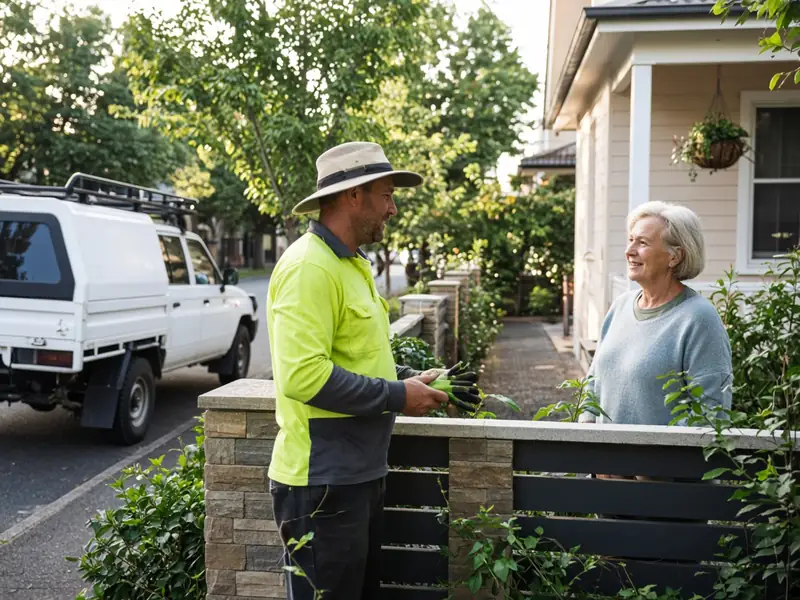
The best time to ask is when the customer is happiest: just after you've finished, cleaned up and walked them through the work. Ask in person, in plain words:
Ask every customer, not just the ones you think will rave about you. That isn't just fair, it's the rule: Google's policy says businesses must not "selectively solicit positive reviews from customers".
Step 3: Make it easy with a direct link
Most people who mean to leave a review never get around to it, because finding the right page takes effort. Google suggests you "ask customers to visit a Google link or scan a QR code". You can create both from your Business Profile, as set out in Google's tips to get more reviews.
- Send the link the same day, by text or email, with a one-line thank you.
- Add the link to your invoice email or the job-completion message.
- Print a QR code on a card you leave behind, or on the back of your business card.
- Send one friendly reminder a few days later, at most. More than that starts to feel like pressure.
Keep in mind that customers need a Google Account to leave a review. Google notes they can create one with a non-Gmail email address.
Step 4: Know what's not allowed
This is where well-meaning businesses get into trouble. The rules come from two places: the law, enforced by the ACCC, and Google's own policies, which decide what stays on Google.
Reviews: what's allowed and what isn't
What the ACCC (Australian Consumer Law) and Google's own policies say about common review practices.
| Practice | OK? | What the rules say |
|---|---|---|
| Asking every customer for an honest review | Yes | Google allows asking for reviews that reflect a genuine experience, without incentives. It suggests sending a review link or QR code. |
| Asking only the customers you think are happy | No | Google doesn't allow businesses to selectively ask for positive reviews or to discourage negative ones. |
| A discount, gift or prize in exchange for a review | No | Google prohibits incentives for any review. The ACCC says incentives risk misleading consumers unless offered whatever the review says and clearly disclosed. |
| Reviews by you, family, staff or friends | No | The ACCC says reviews written by family, employees or people paid by the business, without disclosing the connection, can mislead. Google also bans conflict-of-interest reviews. |
| Hiding or deleting genuine negative reviews on your own site | No | The ACCC says suppressing or editing negative reviews, or removing genuine ones, may mislead consumers. |
| Replying publicly to a review | Yes | Google recommends replying politely and professionally, without sharing the reviewer's private information. |
| Reporting a review you believe is fake | Yes | The ACCC says you can ask the platform to remove it or reply to correct the record. Google lets you flag reviews that break its policies. |
No incentives
It's tempting to offer a discount, a gift card or entry into a prize draw for a review. Don't. Google prohibits offering incentives "such as payment, discounts, free goods and/or services" in exchange for posting any review, and says incentivised reviews will be removed.
The ACCC says incentives risk misleading consumers and breaching the law unless they are offered whatever the review says and clearly disclosed. On Google, the simple answer is no incentives at all.
No fake or "friendly" reviews
The ACCC says it's against the law to create fake or misleading reviews, or to arrange for others to do so. That includes reviews from family, staff or people paid in some way, if the connection isn't disclosed, and reviews from people who haven't used your service.
Google also doesn't allow reviews from people with a conflict of interest, such as current or former employees and family members.
Don't bury the bad ones
On your own website or social pages, the ACCC warns that suppressing or editing negative reviews, or removing genuine negative ones, may mislead consumers. If you show a star rating, show how many reviews it's based on, for example "4.8 stars – 37 reviews".
What enforcement looks like
The ACCC's online reviews guidance lists real cases. The Federal Court ordered tasking platform Service Seeking to pay $600,000 in penalties, after it let businesses draft their own reviews, which were published automatically if the customer didn't respond within 3 days. HealthEngine was ordered to pay $2.9 million, including for not publishing a large volume of negative reviews. A removalist paid a $6,600 infringement notice for publishing testimonials copied from another site.
Step 5: Reply to reviews, good and bad
Replying shows future customers you're paying attention. Google's advice is to keep replies short, polite and professional, and to reply when you have something relevant to say. You don't need to thank every reviewer publicly.
For positive reviews, a brief, personal thank you is enough. Mention the job if it's helpful, for example "Glad the new switchboard's sorted", but never share the customer's personal details.
For negative reviews, take a breath before you reply. Google's tips are a good guide:
- Don't get personal. Never share the reviewer's private information or attack them.
- Check your records to understand what happened.
- Be honest. Admit mistakes, but don't take responsibility for things outside your control.
- Apologise if needed, and offer to sort it out by phone or in person.
- Sign the reply with your name, and respond promptly.
A calm, reasonable reply to a bad review often does more for your reputation than another five-star review, because it shows customers how you handle problems. If you fix the problem, the customer may choose to update their review, but don't ask them to change it in exchange for anything.
If you get a fake review
If you believe a review is fake, for example from someone you've never worked for or from a competitor, you can flag it to Google for breaching its policies. The ACCC says a business can ask the platform to remove a false or misleading review, or respond to correct the public record. Be sure you have a good basis before you act, because removing or challenging a genuine negative review can itself mislead consumers.
Build reviews into your routine
The tradies with lots of reviews usually aren't doing anything clever. They ask every customer and send the link straight away, and they've made it part of finishing a job.
A simple routine for asking for reviews Illustrative
The routine this article suggests, from finishing the job to replying.
- Finish wellClean up, walk the customer through the work and answer questions.
- Ask in personAsk every customer, not just the happy ones, for an honest review.
- Send the linkText or email your Google review link the same day.
- One reminderA single friendly nudge a few days later is plenty.
- ReplyThank good reviews briefly; answer bad ones calmly and offer to fix it.
Tradie Business helps with the parts around the job. Customers accept quotes online, you send invoices by email when the job's done, and each customer's job history stays in one place, so you know who to follow up. The app doesn't send review requests for you, so add your Google review link to your own completion message. SMS reminders are coming soon but aren't available yet.
See the features and pricing, or see how it works for plumbers, roofers and other trades.
Quick checklist
- Claim and complete your Google Business Profile.
- Ask every customer in person when the job's finished.
- Text or email your direct review link the same day, and send one reminder at most.
- Never offer incentives, write your own reviews or ask only happy customers.
- Reply to reviews politely, especially the bad ones.
- Flag reviews you genuinely believe are fake, and keep a record of why.
Next, read our guide to tradie websites for where to show your reviews off.