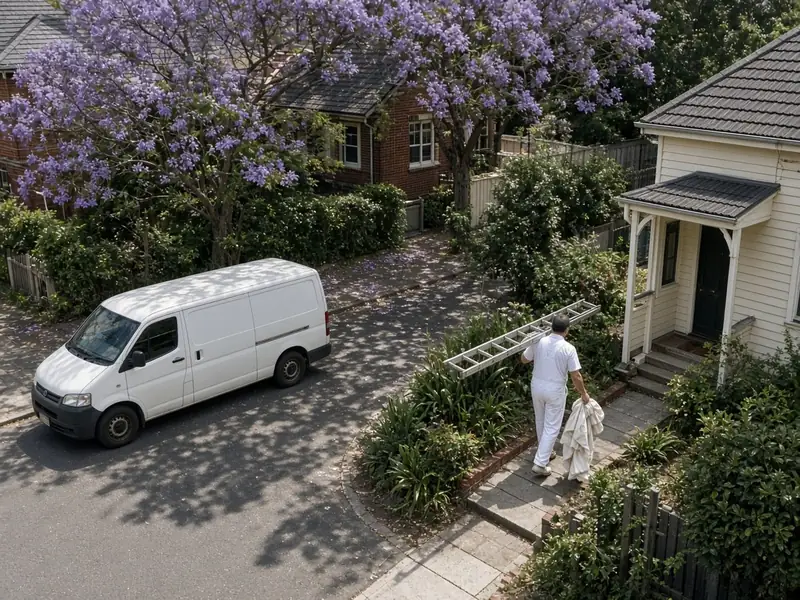
When someone searches "plumber near me" or "electrician Geelong", the first thing they often see is a map with three local businesses on it. Those listings come from Google Business Profile, and for a lot of trades they bring in more calls than the website does. A free profile, set up properly and kept up to date, is one of the best-value marketing jobs you can do.
This guide explains how to set up and look after a Google Business Profile as a tradie, following Google's own rules, so your listing shows up for the right searches and doesn't get suspended. It's written for sole traders and small trade businesses in Australia, and it's current as at November 2026.
Why it matters for trades
Most tradies don't have a shopfront. Customers find them through word of mouth, a van on the street, or a search on their phone. ABS data shows that in 2024–25, 39.8% of construction businesses had their own website or app, compared with 55.1% of all businesses, and only 4.5% were listed on a third-party platform.
How Australian businesses show up online: construction vs all industries
In 2024–25, 39.8% of construction businesses had their own website or app, compared with 55.1% of all businesses. 58.0% had some kind of online presence.
Show the figures as a table
| Type of online presence | Construction | All industries |
|---|---|---|
| Own website or app | 39.8% | 55.1% |
| Social media presence | 40.9% | 50.9% |
| Listing on a third-party platform | 4.5% | 12.4% |
| Any online presence | 58.0% | 71.0% |
That gap is an opportunity. A complete profile with good photos and recent reviews makes you look established, even if you're a one-person operation, and it puts your phone number one tap away.

Step 1: Create or claim your profile
Go to Google Business Profile and search for your business name. If a listing already exists, perhaps created automatically or by a customer, claim it rather than making a new one. Google's guidelines for representing your business say there should be only one profile per business.
You'll need a Google account. Use one you control for the business long-term, not a nephew's or a web designer's account. If someone else manages it for you, add them as a manager rather than handing over ownership.
Step 2: Get verified
Google asks you to verify your business before you can edit it and reply to customers. Google chooses which methods you're offered, depending on your business type and region. They can include a phone call or text, an email, a video recording or live video call, or a postcard. Google says verification reviews take up to five working days, and its local ranking tips say a verified business is more likely to show up in search results.
For a service-area business, video is common. Google's help page says to be ready to show your location, your equipment or tools, and proof that you manage the business, such as non-sensitive business documents. A signed vehicle, your tools and your licence card all help. Don't share your verification code with anyone, including people who manage the profile for you.
Step 3: Set it up the way Google's rules say
Google's guidelines are strict, and breaking them is the most common reason profiles get suspended. The key rules for trades are below.
Setting up a Google Business Profile as a tradie: what Google's guidelines say
Most trades are service-area businesses, and Google's guidelines say to hide a home address and set a service area instead.
| Field | What Google's guidelines say |
|---|---|
| Business name | Your real-world name, as used on your signage, vehicle, website and stationery. No extra keywords, suburbs or phone numbers |
| Address | If you work at customers' places and run the business from home, clear your address from the profile and set a service area |
| Service area | One profile for the area you serve. It shouldn't extend more than about two hours' drive from where you're based |
| Category | As few categories as possible, as specific as possible. Pick what the business is, not everything it does |
| Phone and website | A number under your direct control that connects to your business, not a call centre or a redirect |
| Description | Useful information about your services and history. No links, and no prices or sale offers |
Name
Use your real business name, exactly as it appears on your van, signage, invoices and website. Don't add keywords ("Smith Plumbing – Emergency Plumber Brisbane"), suburbs or phone numbers. If your registered business name genuinely includes "Plumbing", that's fine.
Address and service area
Most tradies are service-area businesses: you go to the customer, not the other way round. Google's guidelines say that if you run the business from home and serve customers at their place, you should clear your address from the profile and set a service area instead. You can list the suburbs or regions you cover. Google says the overall service area shouldn't extend more than about two hours' drive from where you're based.
Don't use a PO box, a virtual office or a mate's workshop as your address. Google doesn't allow it, and it's an easy way to lose your profile.
Category
Pick the most specific primary category that describes what your business is, such as "Electrician" or "Tiler". Google says to use as few categories as possible. Add secondary categories only if they're a real part of your business, not every job you've ever done.
Phone, website and hours
Use a phone number you control and answer. Link to your website if you have one: our guide to tradie websites explains what it needs. Set hours that reflect when customers can reach you, and mark public holidays.
Description and services
Write a plain description of what you do, where you work and what makes you different, such as your licence, years in the trade or the types of jobs you love. Google doesn't allow links, prices or sale offers in the description. Add your main services in the services section.
Step 4: Add good photos
Photos help customers trust you. Add:
- your logo and a clear cover photo,
- before-and-after shots of real jobs,
- your vehicle and team in uniform, and
- the finish on jobs you're proud of.
Take them on your phone as you go. Make sure customers are happy for photos of their home to be shared, and leave out house numbers, number plates and people's faces unless you have permission. Tradie Business has a daily job log with photos, so your best shots are already sorted by job when you want to post them.
Step 5: Ask for reviews, and reply to every one
Google's page on improving your local ranking says prominence is partly based on how many reviews you have, and that more reviews and positive ratings can help. Replying shows you value feedback.
Ask every happy customer, at the moment they're happiest: when you've finished and they're admiring the job. Send a direct link to your review form the same day. Keep it honest. Under Australian Consumer Law and Google's policies, you can't write fake reviews, pay for reviews, or offer incentives only for positive ones. The ACCC's guidance on online reviews explains the rules. Our guide to getting Google reviews covers what to say and how to handle a bad review.
Step 6: Keep it current
A profile is not set-and-forget. Once a month:
- check your hours, phone number and service area are still right,
- add a few new job photos,
- reply to any new reviews and questions, and
- post an update if you've added a service or have holiday hours.
Check your profile after any change to your business. Google says it decides how best to display your business address using your business information and information from other sources, so keep your details consistent everywhere they appear.
Common reasons profiles get suspended
- keywords or suburbs stuffed into the business name,
- a home address shown when you don't receive customers there, or a fake address,
- more than one profile for the same business,
- a phone number that redirects to a lead-generation service, and
- reviews that look fake or incentivised.
If your profile is suspended, fix the problem first, then request reinstatement through Google Business Profile Help with evidence such as a business document and photos of your signage.
Your profile is one part of the picture
A Google Business Profile works best alongside a simple website, a listing on Tradie Guide, and a steady flow of reviews. Read our guide to local SEO for tradies for the next steps, and our marketing for tradies guide for the bigger picture.
When the enquiries start coming in, you need to answer fast. Tradie Business includes an enquiry inbox, quotes you can send from your phone, and an online booking calendar. If you're a Tradie Guide member, you can link your listing too. It's built for Australian trades like electricians, plumbers and landscapers, with a 30-day free trial. See pricing.